Convolution
/app/wave-modelling/convolution
Build a one-dimensional synthetic gather by convolving a wavelet with the reflectivity of the project's layered earth model, choosing which rock-physics scenario stands in for each layer. The synthetic is viewed on this screen; it is the quick way to see how a scenario choice changes the seismic response before committing to a full Wave Modelling run.
Setup
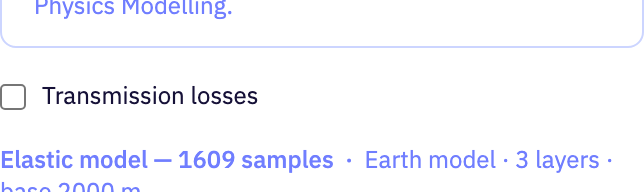
The Setup tab: options that shape the model before the gather is computed.
| Field | Purpose | Range | Default |
|---|---|---|---|
| well-log-overlay | Draws a well log from the project over the layered model so you can check the blocked layers against the measured curve. Offered only when the project holds a log. | — | — |
| well-log | Which of the project's well logs to overlay, when there is more than one. | — | — |
| Transmission losses | Applies frequency-dependent transmission loss through the layers so deeper reflections arrive weaker and lower in frequency. Takes effect only when the layers carry viscoelastic properties. | — | false |
Limits are the API's unless marked app. The app may offer a narrower range.
Seismic Viewer
Display controls above the gather on the Results tab. They change how the traces are drawn, not the data.

| Field | Purpose | Range | Default |
|---|---|---|---|
| Gain | How trace amplitudes are balanced before drawing: none, a power-of-time ramp, automatic gain control, per-trace normalisation, a fixed scale or a fixed offset. | — | None |
| p | Exponent of the power-of-time gain. Larger values boost late, weak arrivals more strongly. | 0 to 5app | 2 |
| win | Length of the sliding window used by automatic gain control. A shorter window equalises amplitudes more aggressively. | 0.01 to 2 sapp | 0.5 s |
| Gain | Factor every amplitude is multiplied by when the scale gain is chosen. | — | 2 |
| Gain | Constant added to every amplitude when the bias gain is chosen, shifting the traces left or right of their zero line. | — | 0 |
| Max Amplitude | Overrides the amplitude at which traces are clipped. The value found in the data is shown beside it; leave it empty to use that. | — | — |
| Clip | Percentile of the absolute amplitudes used as the clip level. Lower values clip more of the strongest samples so weaker events stand out. | 90 to 100 %app | 99 % |
Limits are the API's unless marked app. The app may offer a narrower range.