Wave Modelling
/app/wave-modelling/new
Set up and run a two-dimensional finite-difference simulation of seismic waves through the project's earth model, then browse the recorded gathers and download the outputs. Each layer takes a scenario from Rock Physics Modelling or its baseline properties, and a finished run leaves shot gathers, VSP records and snapshots to view here and files to download for use outside the app.
Job
The bar above the model view where a run is named and started.
| Field | Purpose | Range | Default |
|---|---|---|---|
| Job name | The name the run is filed under in the results list. Choose something that tells you apart from other runs later; it must begin with a letter or digit. | 2 to 25 characters letters, digits, hyphens and underscores, starting with a letter or digit | — |
Limits are the API's unless marked app. The app may offer a narrower range.
Grid
Expert mode, Input Parameters tab: the spacing of the model in space and time.

| Field | Purpose | Range | Default |
|---|---|---|---|
| Grid Increment | Spacing between neighbouring grid points, the same in both directions. Finer spacing resolves shorter wavelengths and thinner layers, at a higher computational cost. | 0.1 to 100 m | 5 m |
| Time Step | Time between successive steps of the simulation. It must be small enough for the grid spacing and the fastest velocity in the model, otherwise the simulation becomes unstable. | 0.000001 to 1 s | 0.0002 s |
Limits are the API's unless marked app. The app may offer a narrower range.
Grid Size
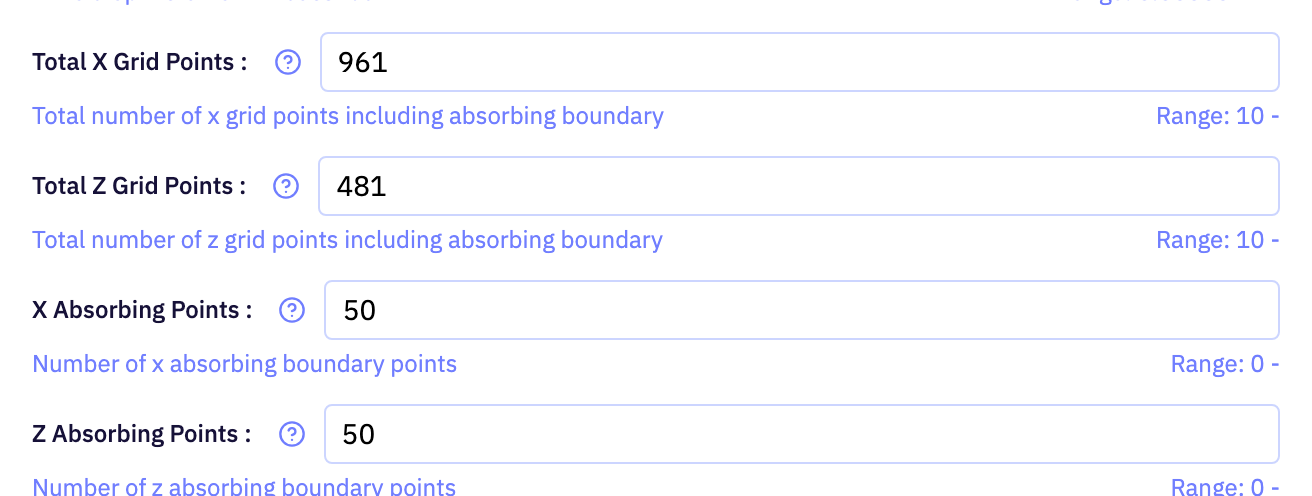
Expert mode, Input Parameters tab: how many grid points the model spans and how many of them form the absorbing edge.
| Field | Purpose | Range | Default |
|---|---|---|---|
| Total X Grid Points | Number of grid points across the model, including the absorbing boundary on each side. Together with the grid spacing this sets the model width. | at least 10app | 961 |
| Total Z Grid Points | Number of grid points down the model, including the absorbing boundary at the base. Together with the grid spacing this sets the model depth. | at least 10app | 481 |
| X Absorbing Points | Thickness, in grid points, of the absorbing zone on the left and right edges. A thicker zone suppresses artificial reflections from the model edges but takes space from the useful part of the model. | at least 0app | 50 |
| Z Absorbing Points | Thickness, in grid points, of the absorbing zone at the base of the model. A thicker zone suppresses artificial reflections from the bottom edge. | at least 0app | 50 |
Limits are the API's unless marked app. The app may offer a narrower range.
Time
Expert mode, Input Parameters tab: how long the simulation runs.

| Field | Purpose | Range | Default |
|---|---|---|---|
| Time Steps | Number of time steps the simulation runs for. Multiplied by the time step it gives the record length; more steps let the wavefield travel further and cost more to compute. | at least 1app | 16001 |
Limits are the API's unless marked app. The app may offer a narrower range.
Source
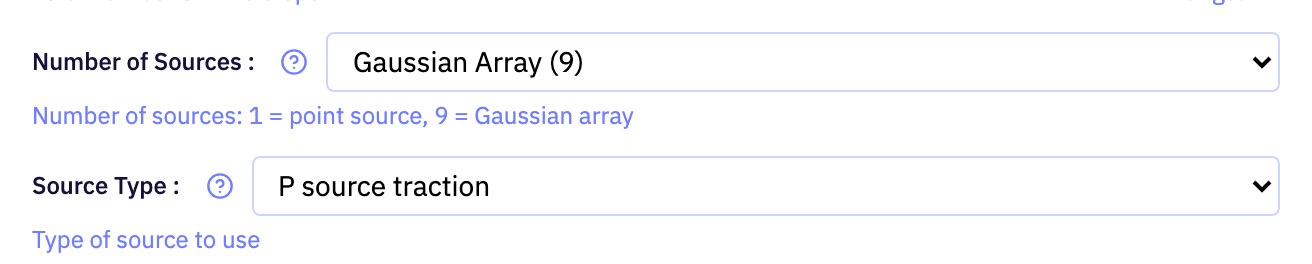
Expert mode, Input Parameters tab: what kind of source is fired and where it sits in the model.
| Field | Purpose | Range | Default |
|---|---|---|---|
| Number of Sources | Whether the source is a single point or a small Gaussian-weighted cluster of points. A cluster gives a smoother, more directional source with fewer grid artefacts. | — | Gaussian Array (9) |
| Source Type | How the source excites the medium: as a pressure (P-wave) traction, or as a velocity push in the horizontal or vertical direction. Velocity sources generate stronger shear energy. | — | P source traction |
| Source X Position | Horizontal position of the source, measured from the left edge of the model. | at least 0 mapp | 2400 m |
| Source Z Position | Depth of the source, measured from the top of the model. A shallow source mimics a surface survey; a deeper one places the shot inside the medium. | at least 0 mapp | 0 m |
Limits are the API's unless marked app. The app may offer a narrower range.
Receivers
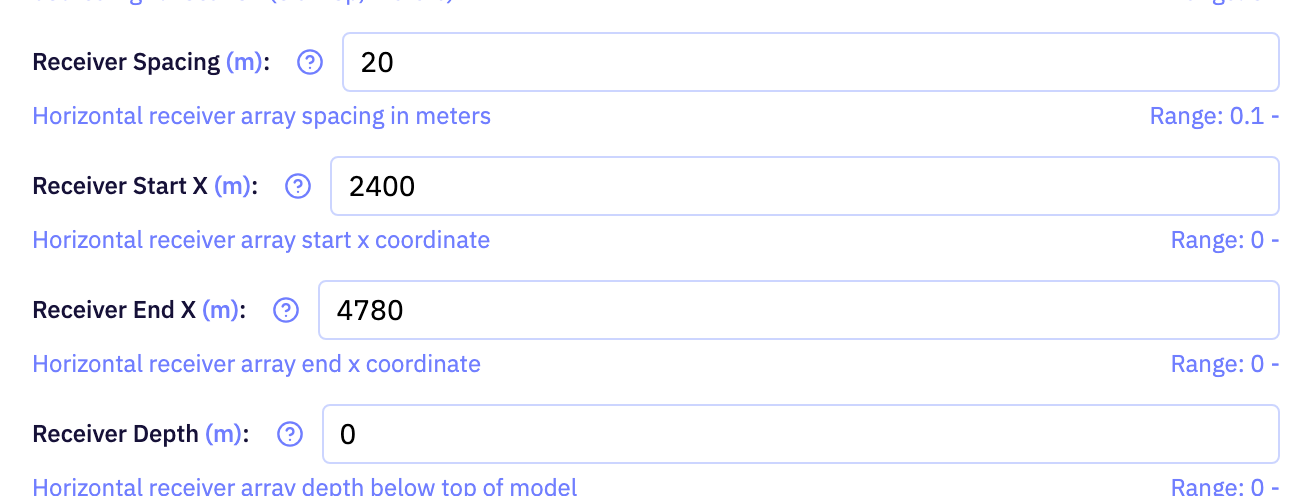
Expert mode, Input Parameters tab: the horizontal line of receivers that records the surface gather.
| Field | Purpose | Range | Default |
|---|---|---|---|
| Receiver Spacing | Distance between neighbouring receivers along the line. Closer spacing gives more traces and avoids spatial aliasing of steeply dipping events. | at least 0.1 mapp | 20 m |
| Receiver Start X | Horizontal position of the first receiver, measured from the left edge of the model. | at least 0 mapp | 2400 m |
| Receiver End X | Horizontal position of the last receiver, measured from the left edge of the model. With the start position and spacing this fixes how many traces the gather holds. | at least 0 mapp | 4780 m |
| Receiver Depth | Depth of the receiver line below the top of the model. Keep it at the surface for a conventional gather or bury it to record inside the medium. | at least 0 mapp | 0 m |
Limits are the API's unless marked app. The app may offer a narrower range.
VSP
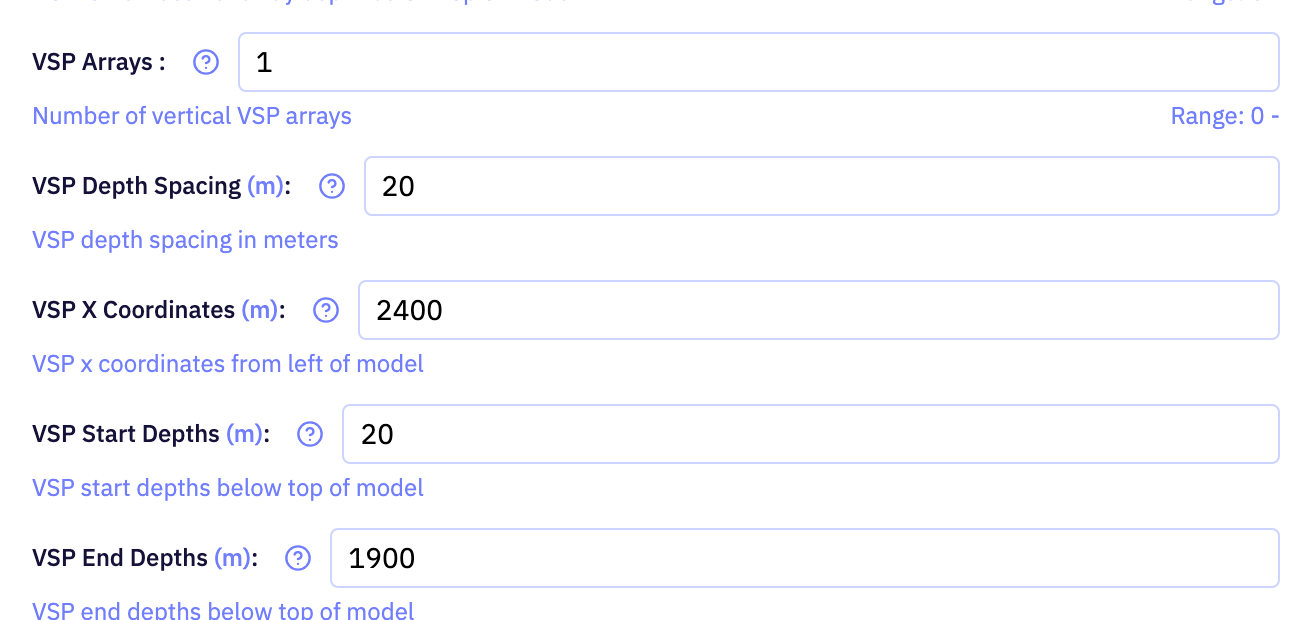
Expert mode, Input Parameters tab: optional vertical receiver arrays. The four list fields hold one value per array, in the same order.
| Field | Purpose | Range | Default |
|---|---|---|---|
| VSP Arrays | How many vertical receiver arrays to record. Leave it at zero for a surface-only survey; each array adds a VSP gather to the outputs. | 0 to 1000 | 1 |
| VSP Depth Spacing | Vertical spacing between receivers in each array, one value per array. Closer spacing gives a denser VSP gather. | m, up to 1000 values | 20 m |
| VSP X Coordinates | Horizontal position of each array, measured from the left edge of the model, one value per array. | m, up to 1000 values | 2400 m |
| VSP Start Depths | Depth of the shallowest receiver in each array, measured from the top of the model, one value per array. | m, up to 1000 values | 20 m |
| VSP End Depths | Depth of the deepest receiver in each array, measured from the top of the model, one value per array. | m, up to 1000 values | 1900 m |
Limits are the API's unless marked app. The app may offer a narrower range.
Snapshots
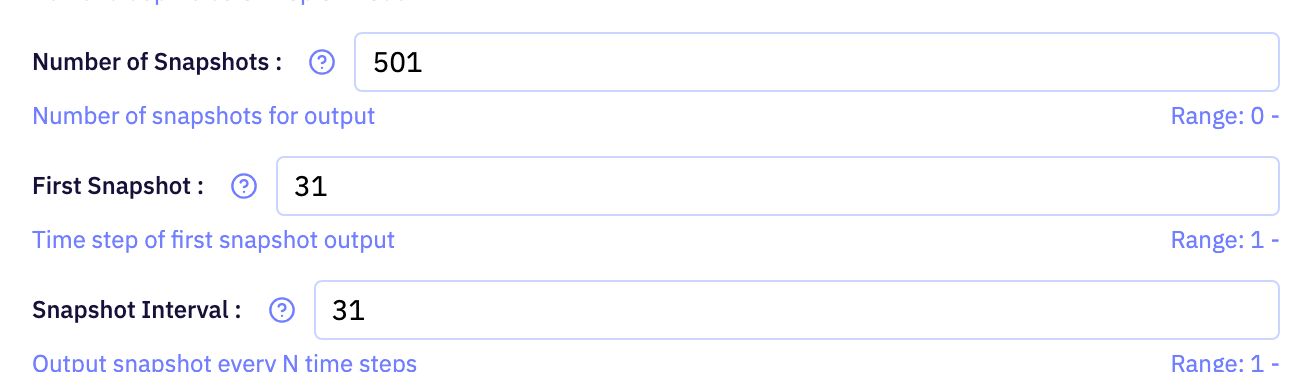
Expert mode, Input Parameters tab: wavefield images saved while the simulation runs.
| Field | Purpose | Range | Default |
|---|---|---|---|
| Number of Snapshots | How many images of the whole wavefield to save during the run. They become the frames of the snapshot animation in the downloads. | at least 0app | 501 |
| First Snapshot | The time step at which the first snapshot is taken. Delay it to skip the early part of the run before the wavefront has left the source. | at least 1app | 31 |
| Snapshot Interval | Number of time steps between successive snapshots. A smaller interval gives a smoother animation over a shorter span of the run. | at least 1app | 31 |
Limits are the API's unless marked app. The app may offer a narrower range.
Run Parameters
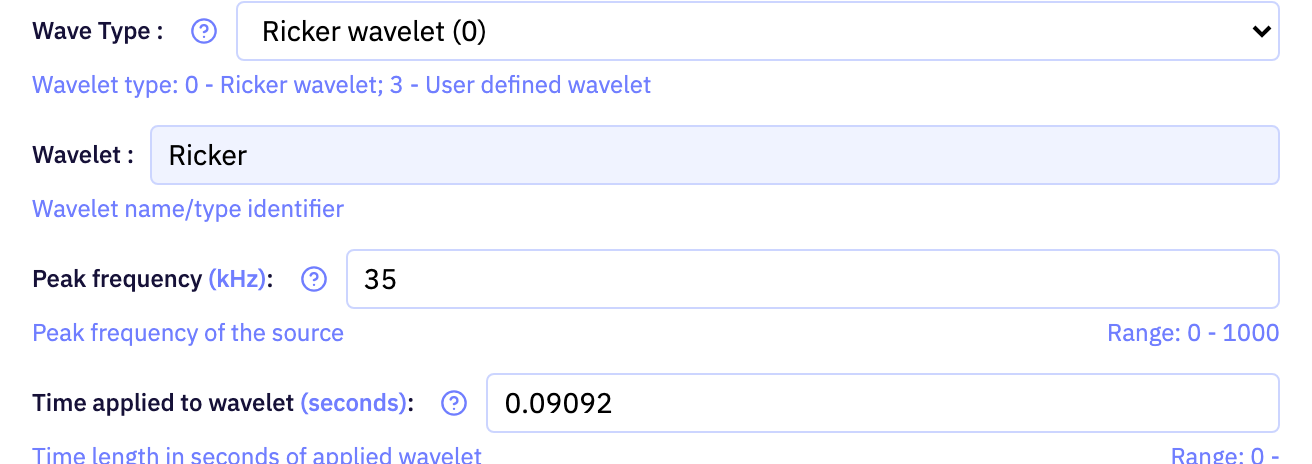
Expert mode, Run Parameters tab: the source wavelet. The fields shown depend on the wave type chosen.
| Field | Purpose | Range | Default |
|---|---|---|---|
| Wave Type | Whether the source fires a Ricker wavelet described by its peak frequency, or a wavelet you supply sample by sample. | — | Ricker wavelet (0) |
| Peak frequency * | Peak frequency of the Ricker wavelet. Higher frequencies resolve thinner layers but need a finer grid and attenuate faster. | 0 to 1000 Hz | 35 kHz |
| Time applied to wavelet * | How long the Ricker wavelet is applied at the source. Leave it at zero to let the wavelet run its natural length. | at least 0 s | 0.09092 seconds |
| Array of amplitude values | The samples of your own wavelet, as a list of amplitudes in time order. Used only when the wave type is user defined. | 1 to 10000 values | — |
| Sample interval * | Time between successive samples of your own wavelet. It tells the simulation how to place the amplitudes in time. | over 0 s | 0 seconds |
Limits are the API's unless marked app. The app may offer a narrower range.
* Peak frequency: the app shows unit kHz; the API accepts unit Hz.
* Time applied to wavelet: the app shows unit seconds; the API accepts unit s.
* Sample interval: the app shows unit seconds; the API accepts unit s.
Plots
The Plots tab: choose which finished runs and gathers to view, on their own or side by side.

| Field | Purpose | Range | Default |
|---|---|---|---|
| plot-job | The finished run to display in this slot. Fill the second slot as well to compare two runs. | — | — |
| plot-gather | Which gather of the chosen run to display, when the run recorded more than one of the current survey type. | — | — |
| Surface | Whether to show the surface receiver line or a vertical (VSP) array. Offered only when the run recorded both. | — | Surface |
| Surface | Which recorded wavefield component to display, such as pressure or a particle-velocity direction. | — | Vz |
Limits are the API's unless marked app. The app may offer a narrower range.
Seismic Viewer
Display controls above the gather on the Plots tab. They change how the traces are drawn, not the data.

| Field | Purpose | Range | Default |
|---|---|---|---|
| Gain | How trace amplitudes are balanced before drawing: none, a power-of-time ramp, automatic gain control, per-trace normalisation, a fixed scale or a fixed offset. | — | None |
| p | Exponent of the power-of-time gain. Larger values boost late, weak arrivals more strongly. | 0 to 5app | 2 |
| win | Length of the sliding window used by automatic gain control. A shorter window equalises amplitudes more aggressively. | 0.01 to 2 sapp | 0.5 s |
| Gain | Factor every amplitude is multiplied by when the scale gain is chosen. | — | 2 |
| Gain | Constant added to every amplitude when the bias gain is chosen, shifting the traces left or right of their zero line. | — | 0 |
| Max Amplitude | Overrides the amplitude at which traces are clipped. The value found in the data is shown beside it; leave it empty to use that. | — | — |
| Clip | Percentile of the absolute amplitudes used as the clip level. Lower values clip more of the strongest samples so weaker events stand out. | 90 to 100 %app | 99 % |
Limits are the API's unless marked app. The app may offer a narrower range.
Download Files
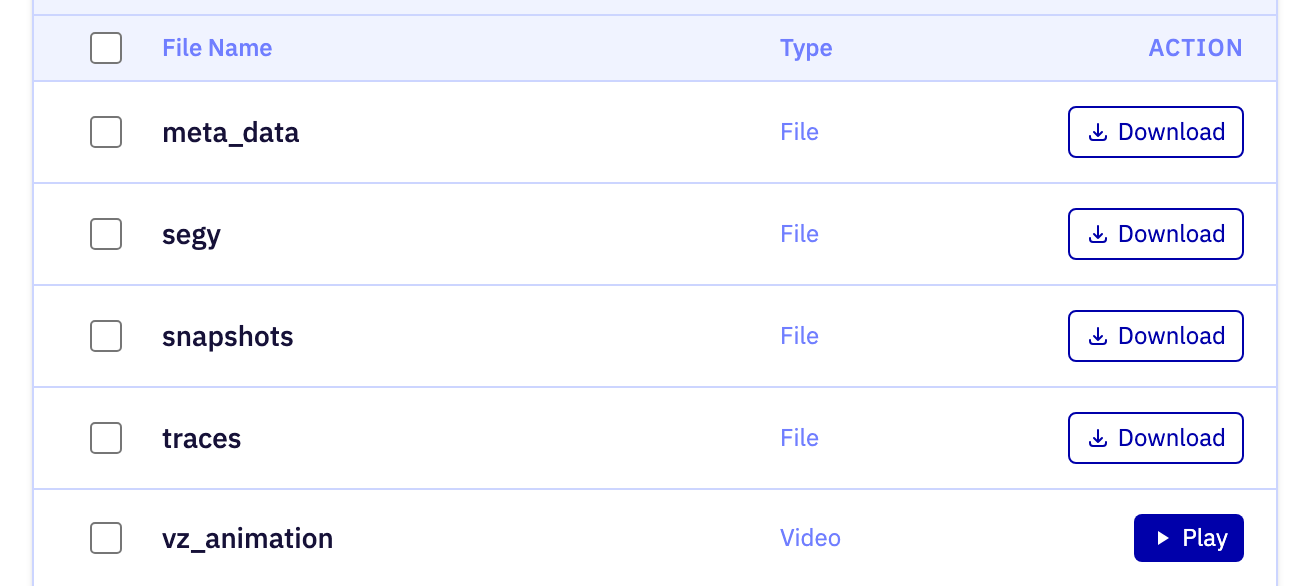
The Results tab: the output files of the run selected in the job list.
| Field | Purpose | Range | Default |
|---|---|---|---|
| file-select-all | Selects or clears every file in the list for a single download. | — | false |
| file-select | Marks one file for download. Selected files are fetched together with the download button above the list. | — | — |
Limits are the API's unless marked app. The app may offer a narrower range.